01Free forever
Basic
Paste several things at once — handy for forms, messages, or reports.
- Clipboard history
- Quick paste
- Keyboard shortcuts
- Detect sensitive content
Welcome
PasteLane collects everything you copy and lets you paste it later, in the order you choose.
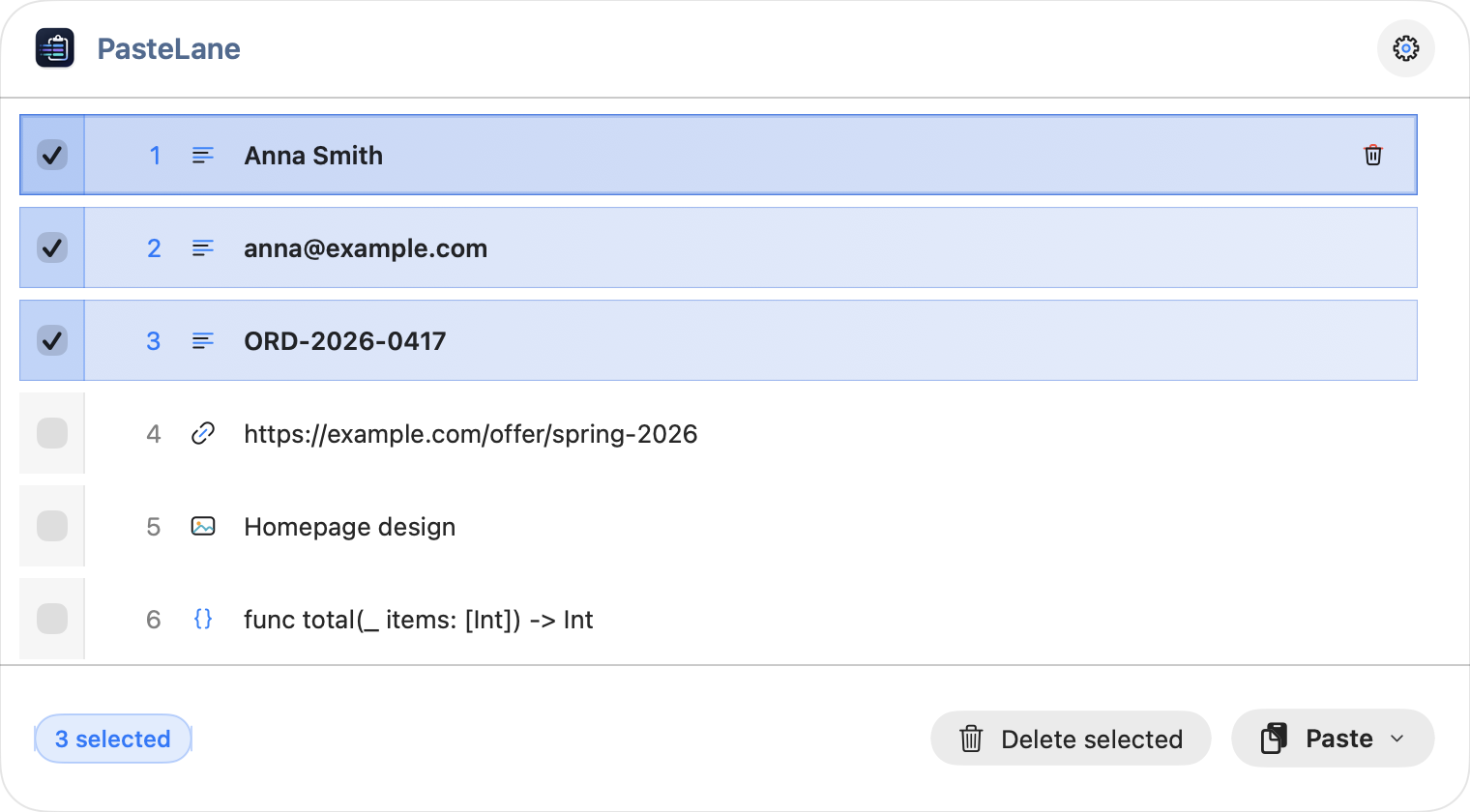
Welcome
PasteLane collects everything you copy and lets you paste it later, in the order you choose.
 Text
Text
 Image
Image
 Link
Link
 File
File
 Code
Code
 Command
Markdown · JSON · SQL
 SensitiveAn image whose recognized text looks sensitive is marked Sensitive and masked.
 Pinned itemsPinned items survive Clear Queue and are grouped under the Pinned tab in advanced mode. Toggle the pin icon on any row to pin or unpin it.
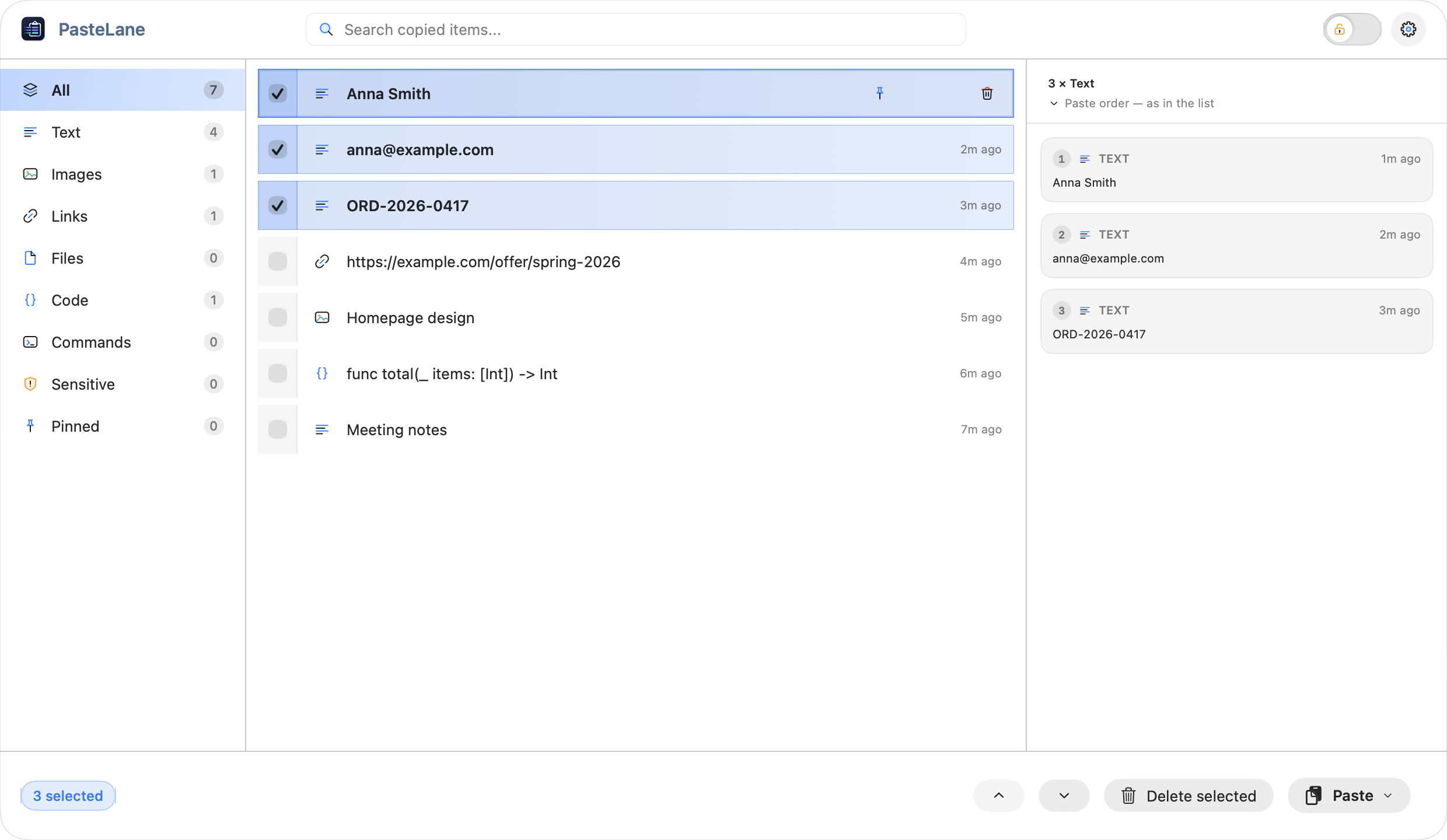
Select several items and set the order in which you want to paste them.
Two versions
Basic is great for everyday use. Advanced lets you search earlier items, preview their contents, and pin the ones you use often. Change modes in Settings → General.
Paste several things at once — handy for forms, messages, or reports.
Paste several things at once — handy for forms, messages, or reports.
Paste several things at once — handy for forms, messages, or reports.
Search older items, preview their contents, pin favourites, and keep history between launches.
Two versions
Basic is great for everyday use. Advanced lets you search earlier items, preview their contents, and pin the ones you use often. Change modes in Settings → General.
Free forever · Included for 14 days · Monthly or yearly subscription · Basic Mode keeps working, with your clipboard queue intact.
Search older items, preview their contents, pin favourites, and keep history between launches.
Advanced Mode adds search, content tabs, preview, pinned items, a longer history and alternative panel layouts. Previews are prepared when you copy, so they open at once; long text, code and text recognized in images are shortened, and Show full content opens the whole thing.
Clipboard history
Advanced Mode adds search, content tabs, preview, pinned items, a longer history and alternative panel layouts. Previews are prepared when you copy, so they open at once; long text, code and text recognized in images are shortened, and Show full content opens the whole thing.
The PasteLane panel with sample items
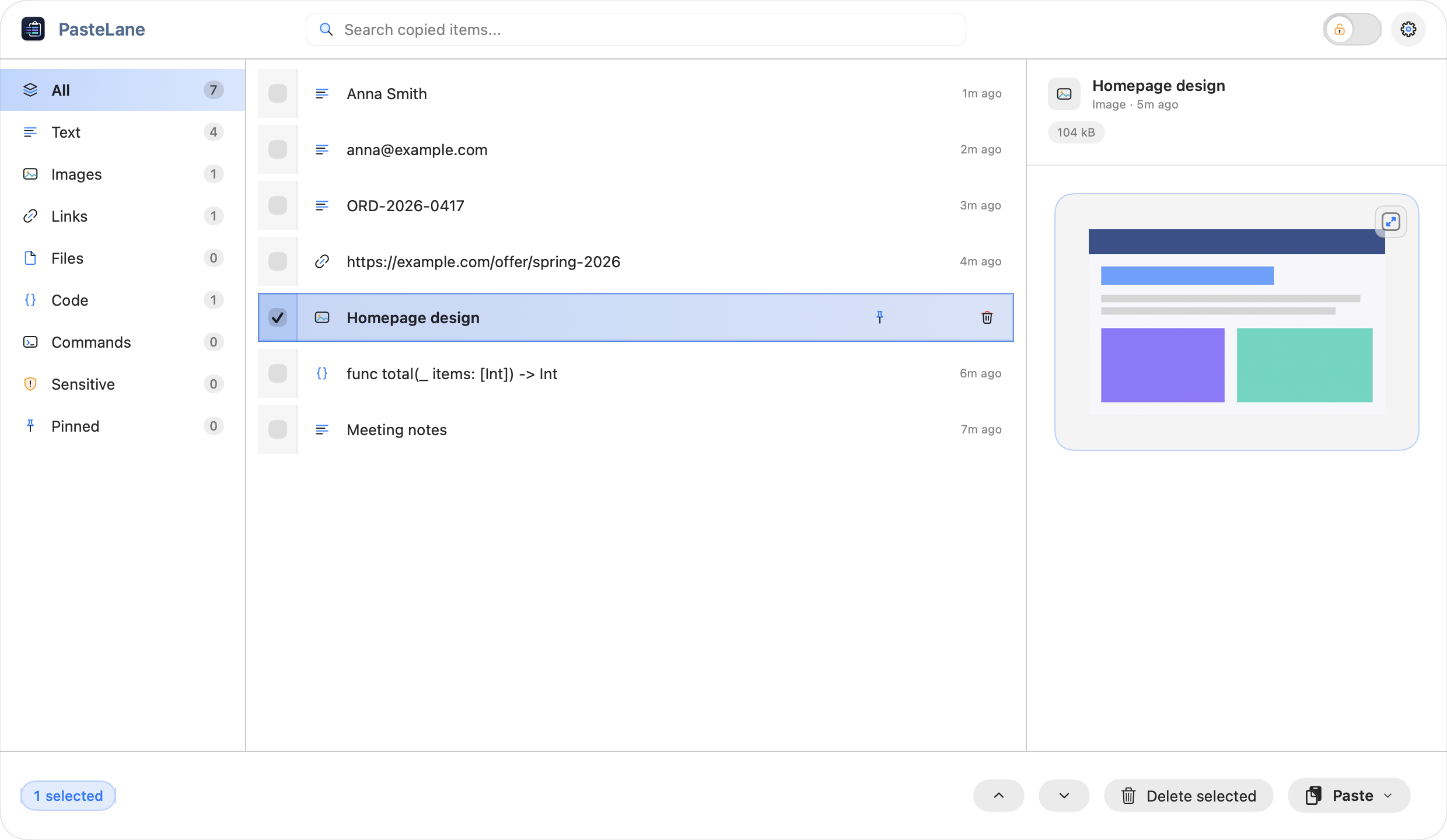
Advanced Mode adds search, content tabs, preview, pinned items, a longer history and alternative panel layouts. Previews are prepared when you copy, so they open at once; long text, code and text recognized in images are shortened, and Show full content opens the whole thing.
Shows a passive preview. Sensitive content remains hidden until explicitly revealed.
Recognized text is processed on-device and makes copied images searchable.
Adds the text in this image to the list as a new item.
 7
7Items currently in queue
Adds a small badge to the PasteLane icon with the number of items in the queue.
On by default in Advanced Mode. Turning it off moves the count into the menu instead.
Available in Advanced Mode
Multiple panel layouts
Automatic (adapts to the panel size)
Welcome
Replay the guided tour. Your settings, history, queue, mode and subscription are not changed.
Product Tour
Replay the guided tour. Your settings, history, queue, mode and subscription are not changed.
Settings
Configure clipboard monitoring, privacy, language, paste behavior, history, appearance, and advanced settings.
Makes the clipboard panel smaller or larger, together with its text and icons.
Chooses whether PasteLane follows the system appearance or forces Light or Dark Mode.
Opens PasteLane from any app. Choose Change, then press the new keys with Command, Control or Option. Esc cancels.
Hides the saved clipboard history until you authenticate again.
Privacy on your terms
Your history is encrypted. Passwords detected from password managers stay hidden, and you can lock your history with one click.
Opens PasteLane from any app. Choose Change, then press the new keys with Command, Control or Option. Esc cancels.
Changes the Advanced Mode panel layout.
Clipboard history survives logout and restart. Stored encrypted on disk. Disabling wipes existing persistent data.
Privacy
Your history is encrypted. Passwords detected from password managers stay hidden, and you can lock your history with one click.
See Privacy & SecurityTwoja kolejka już czeka
Practice copying, arranging, and pasting with sample items. It’s a simulation, so your real clipboard stays unchanged.
Mac App Store Monthly or yearly subscription